
Your doctor report from your own diary
Sam puts your diary, check-in and, depending on the program, your medication intake into one PDF for your appointment. You read it in the app first.
Not sure which medical program fits? See all programs
What's in your doctor report
You create it in the program for your condition: migraine, epilepsy, panic disorder, high blood pressure, gout, reflux, asthma or hay fever. It summarizes your own entries and is not a diagnosis.
At a glance
The key numbers for your period. They differ by program, such as migraine days for migraine or seizure types for epilepsy.
Month by month
How many entries you had each month, as bars. The current month is not included.
Your check-in
Where your program has a questionnaire, its history is in the report, with a note on how to read the scale.
The last 30 days
Day by day, what you logged. In programs with a medication plan you also see which doses you took, adjusted or skipped.
Your diary
Your individual entries with their dates. For migraine and epilepsy they also carry Apple Health values from the moment you logged them, such as prior-night sleep and HRV, where available. If there are many entries, the report shows the most recent.
Blood pressure with Apple Health
The blood pressure report shows weight, sleep, resting heart rate, steps, stress score and your alcohol days for the same period next to your readings. You can bring the readings in from Apple Health.
Walk into the appointment prepared
- 1
Pick the period
One, three, six or twelve months, or everything you have logged. Three months is the default.
- 2
Read it in the app
You see the report in the app in the same order as in the PDF. What you check there is what your doctor gets.
- 3
Bring it as a PDF
Share the PDF or print it. Which questions you ask and what follows from them, you settle in the conversation with your doctor.
Symptom days
Medication taken
Sleep
In your own words
A summary of your own entries. Your doctor interprets it.
Schematic sample, not a real report. The real report looks different depending on the program.
Log sick days, file the sick note
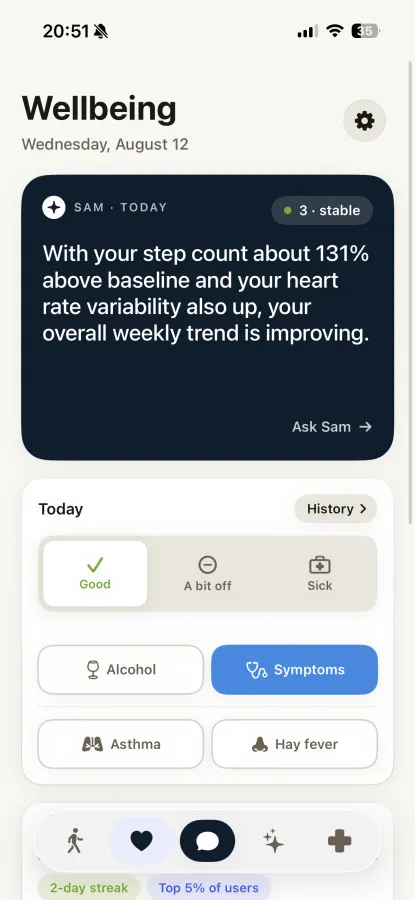
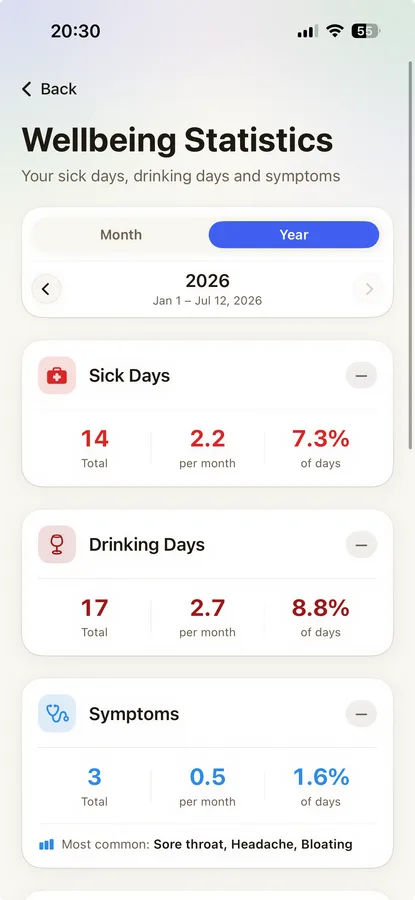
You enter each day with one tap: good, a bit off or sick. On a sick day you can attach proof. A sick leave certificate comes from your doctor, not from Sam.
One tap a day
You enter the day yourself, in the Wellbeing view or in the daily check-in. The entries feed your monthly report.
Proof, if you want
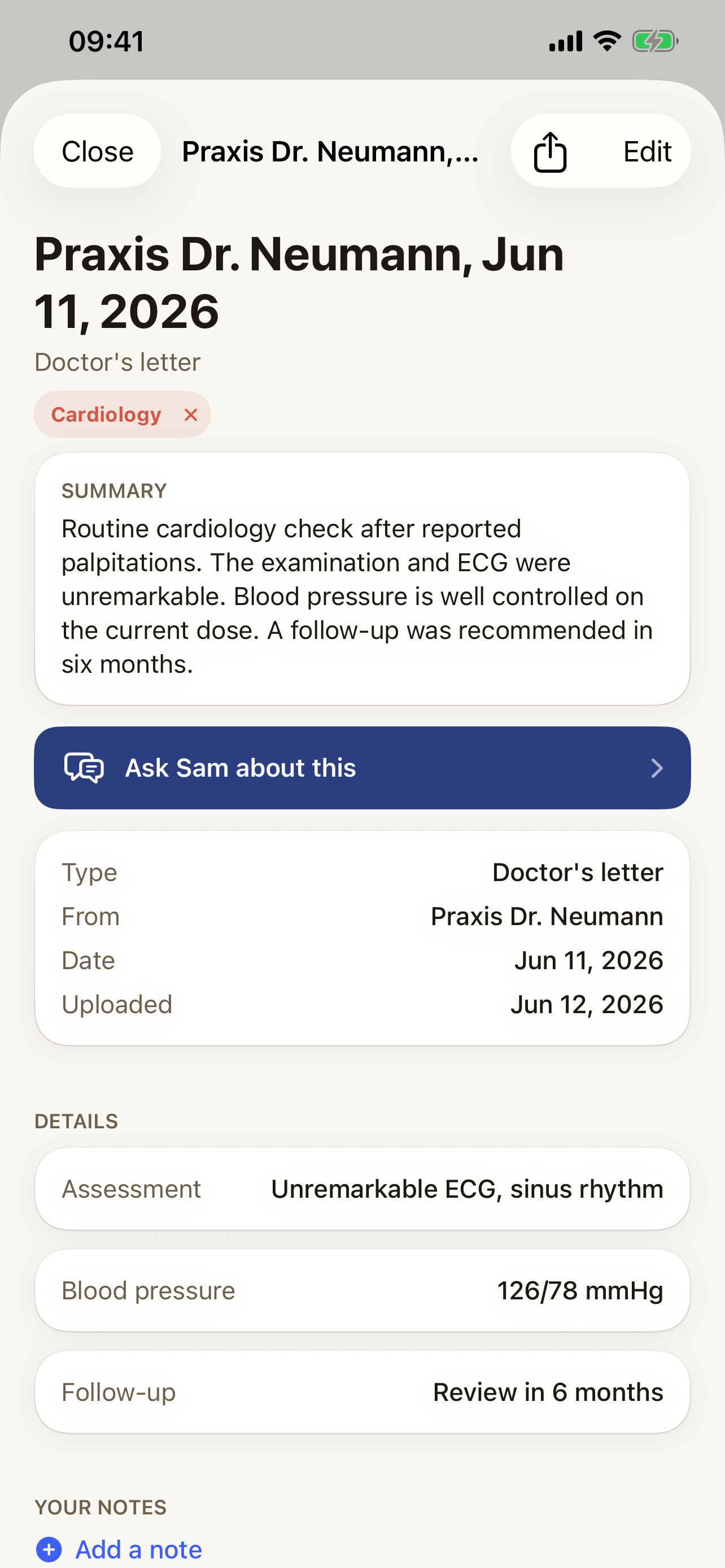
A photo, scan or file: a sick note, a self-test or a test from a doctor or lab. For a sick note you enter how long it covers.
With your documents
The proof sits in your documents in Sam, linked to the day. Sam does not read or evaluate it.
Today
Add proof
optional
- Sick note
- Self-test
- Test from a doctor or lab
Your month as a PDF, free and created by you
From the 1st of a month you create the report for the previous month yourself. It is part of what Sam includes for free and shows your month from Apple Health and your own entries.
Sleep, stress and activity of the month
Your sick days, as you logged them
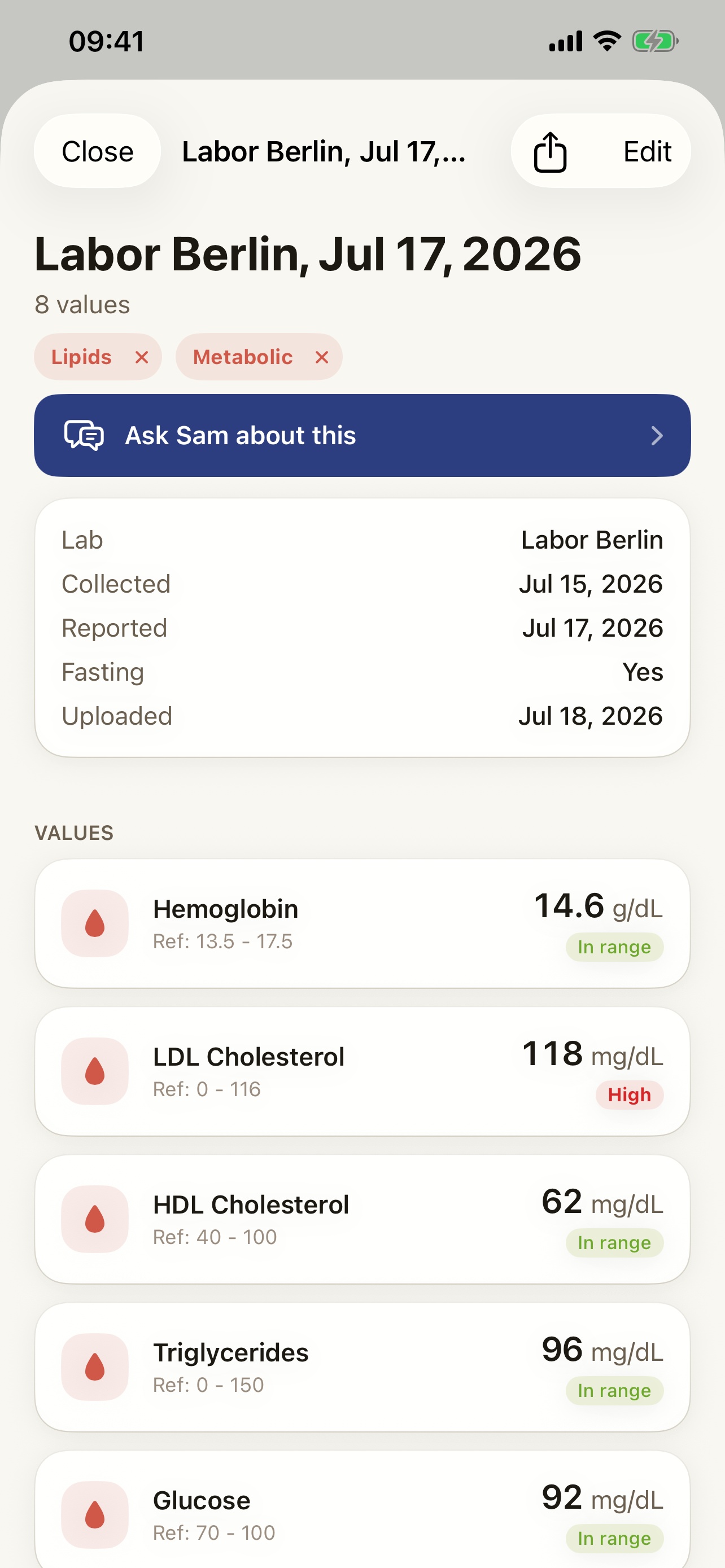
Symptoms, alcohol days and lab values, as far as you logged them
Check-in scores and goal progress of your lifestyle programs
PDF to save and share
Requirement: you logged how you felt on at least 15 of the last 30 days. For your first report this does not apply.
Monthly report
September
Programs
The doctor report comes with each program
For each of eight conditions Sam has a program: its own diary, a monthly questionnaire and its own doctor report as a PDF. How many medical programs you can use at the same time depends on your plan.
Questions about the doctor report
Can't find your answer?
Can't find what you're looking for? Send us a message and we'll get back to you.
Contact SupportIs there an app that makes a health summary PDF for my doctor?
Yes. In Sam you create a doctor report as a PDF inside your program. You pick the period, read the report in the app and share or print the PDF. It summarizes what you logged yourself. Sam is a wellness companion, not a medical device.
I don't have a diagnosis yet and I'm waiting for an appointment. Can I still prepare with Sam?
Yes, already before the diagnosis. Log your symptoms in the symptom diary; sleep, resting heart rate and activity come in from Apple Health. At the appointment you show your entries in the app; from the 1st of each month you can also create the previous month's monthly report as a PDF. A doctor's report from a program works only after you confirm a diagnosis - while you wait for an evaluation, the symptom diary is your record.
What is in Sam's doctor report?
The key numbers at a glance, your entries per month, the history of your check-in, the last 30 days and your diary, depending on the program also your medication intake. The blood pressure report adds weight, sleep, resting heart rate, steps, stress score and alcohol days for the same period; for migraine and epilepsy, entries carry values from Apple Health, such as sleep and HRV.
How do I prepare for a doctor appointment with Sam?
Between appointments, log what happens in the diary of your program. Before the appointment you create the doctor report: pick the period (three months is the default), read it in the app, share or print the PDF. That way you have your history in front of you instead of only your memory. What you ask and what follows from it, you discuss with your doctor.
Can I bring my Apple Watch data to my cardiologist as a PDF?
Partly. Sam reads Apple Health, but the doctor report is not a list of all watch data; it is a summary of your entries. The monthly report shows sleep, stress and activity, the blood pressure report your readings plus weight, sleep, resting heart rate and steps. An Apple Watch does not measure blood pressure: the readings come from a cuff device, straight from Apple Health or typed in by you.
Where do I file a sick note?
Mark the day as sick in Sam and optionally add proof: a sick note, a self-test or a test from a doctor or lab, as a photo, scan or file. For a sick note you enter until when you are signed off. The proof then sits in your documents in Sam, linked to the day. Sam does not evaluate it and does not issue sick leave; your doctor does.
Is the monthly report free?
Yes, the monthly report is part of what Sam includes for free. You create it yourself, from the 1st of a month for the previous month. For that, notifications must be on and Apple Health access granted, you need an entry about a chronic condition in your profile ("none" counts) and you must have logged how you felt on at least 15 of the last 30 days. For your first report the last point does not apply.
What does the doctor report cost?
The doctor report comes with your program. In the free version one medical program runs at a time; with Sam Pro all of them can. The current prices are on the pricing page.
Is the doctor report a diagnosis?
No. Sam is a wellness companion, not a medical device. The report summarizes your own entries and is explicitly not a diagnosis. Your doctor puts it in context.
Built to be trusted, not hyped
What Sam actually is, in plain facts.
30+ Apple Health signals
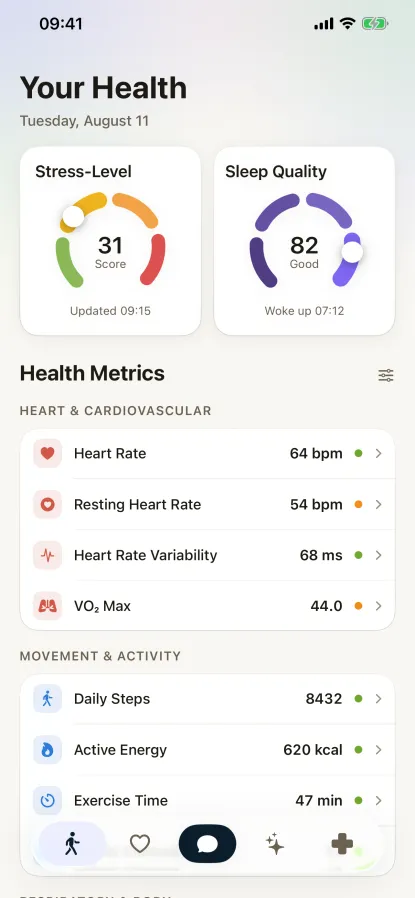
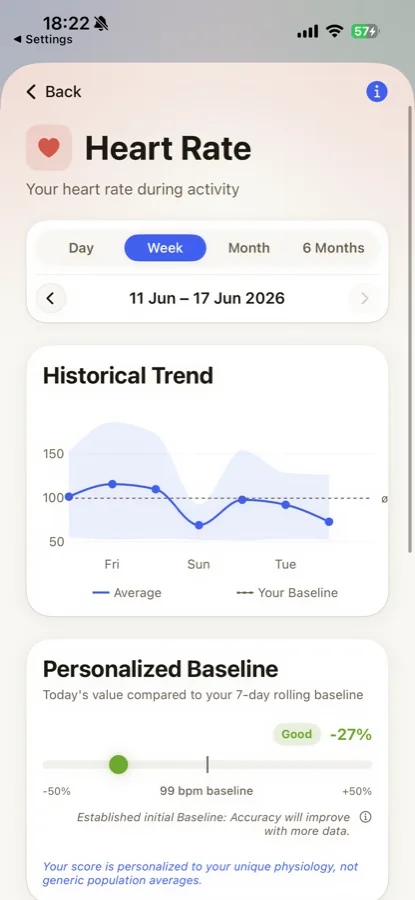
Sam reads heart rate, HRV, sleep, activity and more - the data you already share through Apple Health.
21-day personal baseline
Signals are read against your own baseline, not population averages.
Works with your wearable
Apple Watch, Oura, Whoop, Garmin and any device that syncs to Apple Health.
Monthly PDF report
A structured monthly summary you can keep or bring to your doctor.
Clinically validated instruments
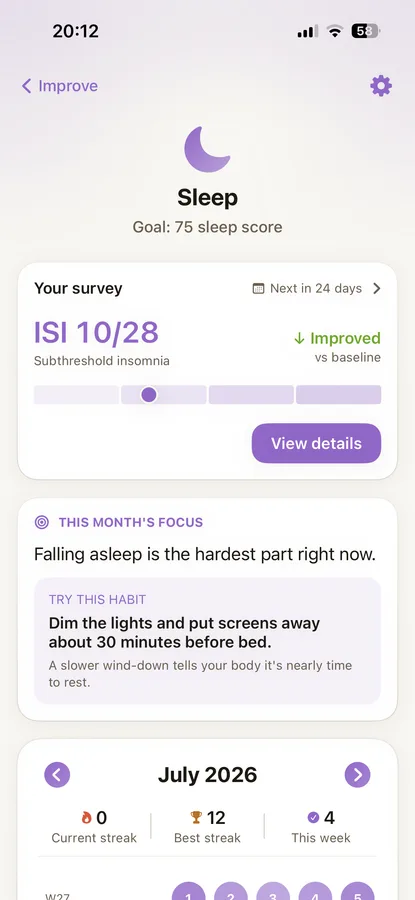
The lifestyle programs use K10 (stress), MOS Sleep Scale (sleep) and IPAQ (activity) questionnaires from clinical research.
Made in Europe
Developed by SanoLabs GmbH, a German company.
See Sam In Action
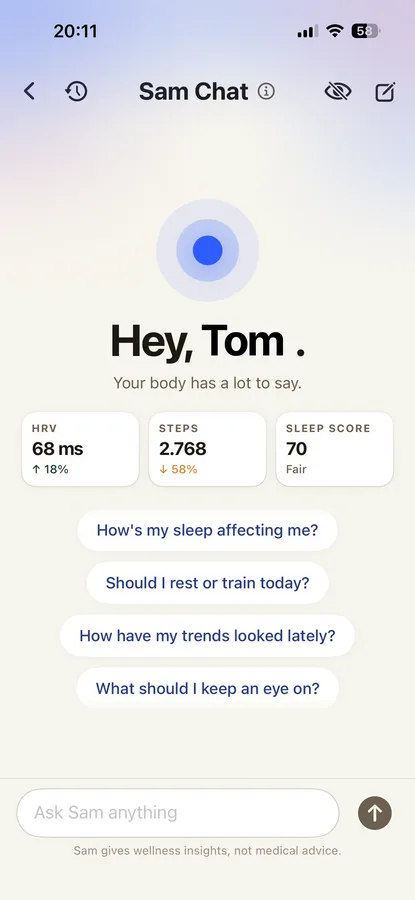
Explore the key screens and features of Sam, designed to give you insights into your health patterns

Take your history to your next appointment
Download Sam free, pick a program, log, and create the report as a PDF.
Sam is a wellness companion, not a medical device. It does not diagnose conditions or replace professional medical advice. Always consult a qualified healthcare provider for medical decisions.